What is Qianfan-OCR?
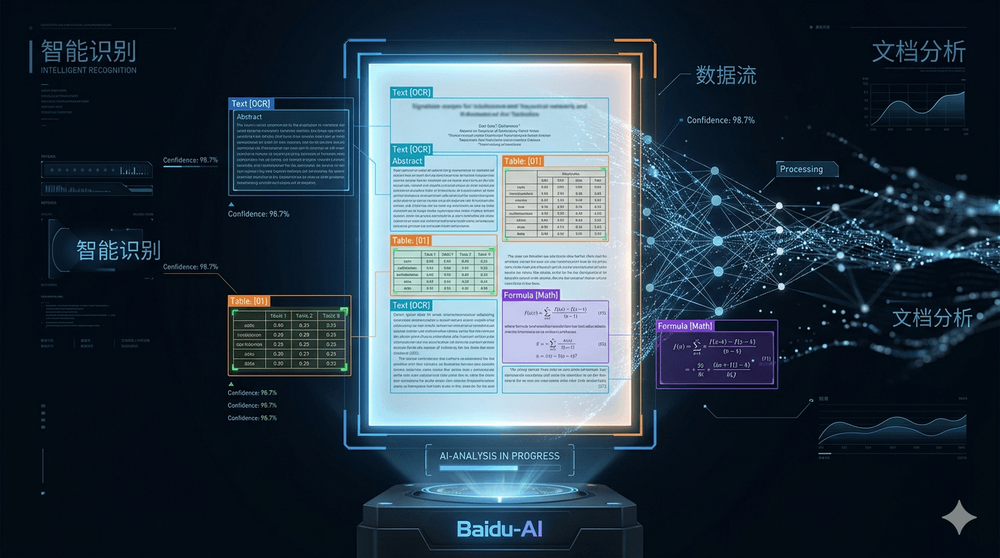
Qianfan-OCR is a document understanding model released by Baidu. It converts images of documents — PDFs, scans, photos, screenshots — directly into structured Markdown, JSON, or HTML, handling everything from simple text to complex tables, mathematical formulas, and charts.
It ranks #1 on OmniDocBench v1.5, the main benchmark for end-to-end document parsing, with an overall score of 93.12 — ahead of DeepSeek-OCR-v2 (91.09) and Gemini 3 Pro (90.33).
The key architectural decision is doing this in a single model rather than chaining separate OCR, layout, and comprehension modules. That means no information is lost between pipeline stages — which matters most for complex documents like charts, exam papers, or multi-column layouts.
Architecture
The model has three components:
- Qianfan-ViT — a vision encoder with AnyResolution design. It tiles the input image into 448×448 patches and processes up to 4,096 visual tokens, supporting images up to 4K resolution without losing detail on dense documents.
- Qwen3-4B — the language backbone from Alibaba's Qwen3 series, with Grouped Query Attention (32 query heads / 8 KV heads) and a 32K context window extendable to 131K.
- Cross-Modal Adapter — a 2-layer MLP that bridges the vision encoder's 1024-dim output to the language model's 2560-dim input.
Total: ~4B parameters (5B including embeddings).
Layout-as-Thought
The most novel feature of Qianfan-OCR is Layout-as-Thought — a thinking mode that recovers structural analysis within an end-to-end model.
When enabled (by appending <think> to the prompt), the model first generates a structured representation of the page — bounding boxes, element types across 25 categories, and reading order — before producing the final output. This is the kind of information that traditional multi-stage pipelines compute separately at each step, but here it happens inside a single forward pass.
When to use thinking mode:
| Document type | Recommendation |
|---|---|
| Exam papers, technical reports, newspapers | Enable (<think>) |
| Academic papers with equations and tables | Enable (<think>) |
| Single-column text, simple forms | Disable — better results without |
| Receipts and invoices | Disable |
Supported tasks
25 element types across 9 task categories:
| Category | Details |
|---|---|
| Document parsing | Image → Markdown, multi-page, JSON/HTML output |
| Layout analysis | Bounding boxes, 25 element types, reading order |
| Table recognition | Merged cells, rotated tables, HTML output |
| Formula recognition | Inline and display math, LaTeX output |
| Chart understanding | QA, trend analysis, data extraction |
| Key information extraction | Invoices, receipts, ID cards, medical records |
| Handwriting | Chinese and English |
| Scene text | Street signs, labels, natural images |
| Multilingual OCR | 192 languages (Latin, Cyrillic, Arabic, CJK, and more) |
Benchmark results
OmniDocBench v1.5 — #1 overall
| Model | Overall | Text edit dist. | Formula | Table TEDs | Table TEDss | Read order |
|---|---|---|---|---|---|---|
| Qianfan-OCR | 93.12 | 0.041 | 92.43 | 91.02 | 93.85 | 0.049 |
| DeepSeek-OCR-v2 | 91.09 | 0.048 | 90.31 | 87.75 | 92.06 | 0.057 |
| Gemini 3 Pro | 90.33 | 0.065 | 89.18 | 88.28 | 90.29 | 0.071 |
Key information extraction — #1 (mean over 5 benchmarks)
| Model | KIE mean score |
|---|---|
| Qianfan-OCR | 87.9 |
| Gemini 3.1 Pro | lower |
| Qwen3-VL-235B-A22B | lower |
Document and chart understanding
| Benchmark | Score |
|---|---|
| DocVQA | 92.8 |
| CharXiv DQ | 94.0 |
| CharXiv RQ | 85.2 |
| ChartQA | 88.1 |
| ChartQAPro | 42.9 |
| ChartBench | 85.9 |
General OCR
| Benchmark | Score |
|---|---|
| OCRBench | 880 |
| OCRBench v2 (EN) | 56.0 |
| OCRBench v2 (ZH) | 60.77 |
| CCOCR multilingual | 76.7 |
Inference performance
Measured on a single NVIDIA A100:
| Precision | Throughput |
|---|---|
| W16A16 (full BF16) | 0.503 pages/second |
| W8A8 (quantized) | 1.024 pages/second |
W8A8 quantization roughly doubles throughput — useful for production pipelines processing large document volumes.
Deploy with vLLM for high-throughput serving:
vllm serve baidu/Qianfan-OCR --trust-remote-codeOr use the Transformers API directly:
import torch
from transformers import AutoModel, AutoTokenizer
from PIL import Image

model = AutoModel.from_pretrained(
    "baidu/Qianfan-OCR",
    torch_dtype=torch.bfloat16,
    trust_remote_code=True,
    device_map="auto"
).eval()
tokenizer = AutoTokenizer.from_pretrained("baidu/Qianfan-OCR", trust_remote_code=True)

# Parse a document to Markdown
pixel_values = load_image("./document.png").to(torch.bfloat16).to(model.device)
response = model.chat(tokenizer, pixel_values=pixel_values,
                      question="Parse this document to Markdown.",
                      generation_config={"max_new_tokens": 16384})

# With Layout-as-Thought for complex layouts
response = model.chat(tokenizer, pixel_values=pixel_values,
                      question="Parse this document to Markdown.<think>",
                      generation_config={"max_new_tokens": 16384})

# Key information extraction as JSON
response = model.chat(tokenizer, pixel_values=pixel_values,
                      question="Extract name, date, and total amount as JSON.",
                      generation_config={"max_new_tokens": 16384})
Model ecosystem
Limitations
- Trust remote code required —
trust_remote_code=Trueneeded for both model and tokenizer; audit the code before deploying in sensitive environments - Chart parsing quality — ChartQAPro score (42.9) indicates complex chart understanding still has room to grow
- No built-in PDF support — you need to convert PDF pages to images first
- Context window — default 32K, extendable to 131K; very long documents need splitting
- License — not specified in the model card; check the repository for terms before commercial use
Conclusion
Qianfan-OCR's strongest argument is its benchmark position: it beats both a frontier closed model (Gemini 3 Pro) and the best open alternative (DeepSeek-OCR-v2) on the main document parsing benchmark, with a single 4B model. The Layout-as-Thought mechanism is a pragmatic solution to the classic tension between end-to-end simplicity and structured layout analysis.
For developers building document pipelines — invoice processing, exam grading, report extraction, or RAG over scanned documents — this is the strongest open-weights option available at this size.
Model: baidu/Qianfan-OCR